
A spending tracker built for reflection, not automation
Problem
Finance apps either automate spending away or ask for a spreadsheet mindset.
Role
Designer and builder, end to end: research, specs, design and code.
Approach
Designed in markdown specs and guidelines, built with Claude Code, with no Figma.
Status
Live at minti.one and in a closed test group, improving week to week.
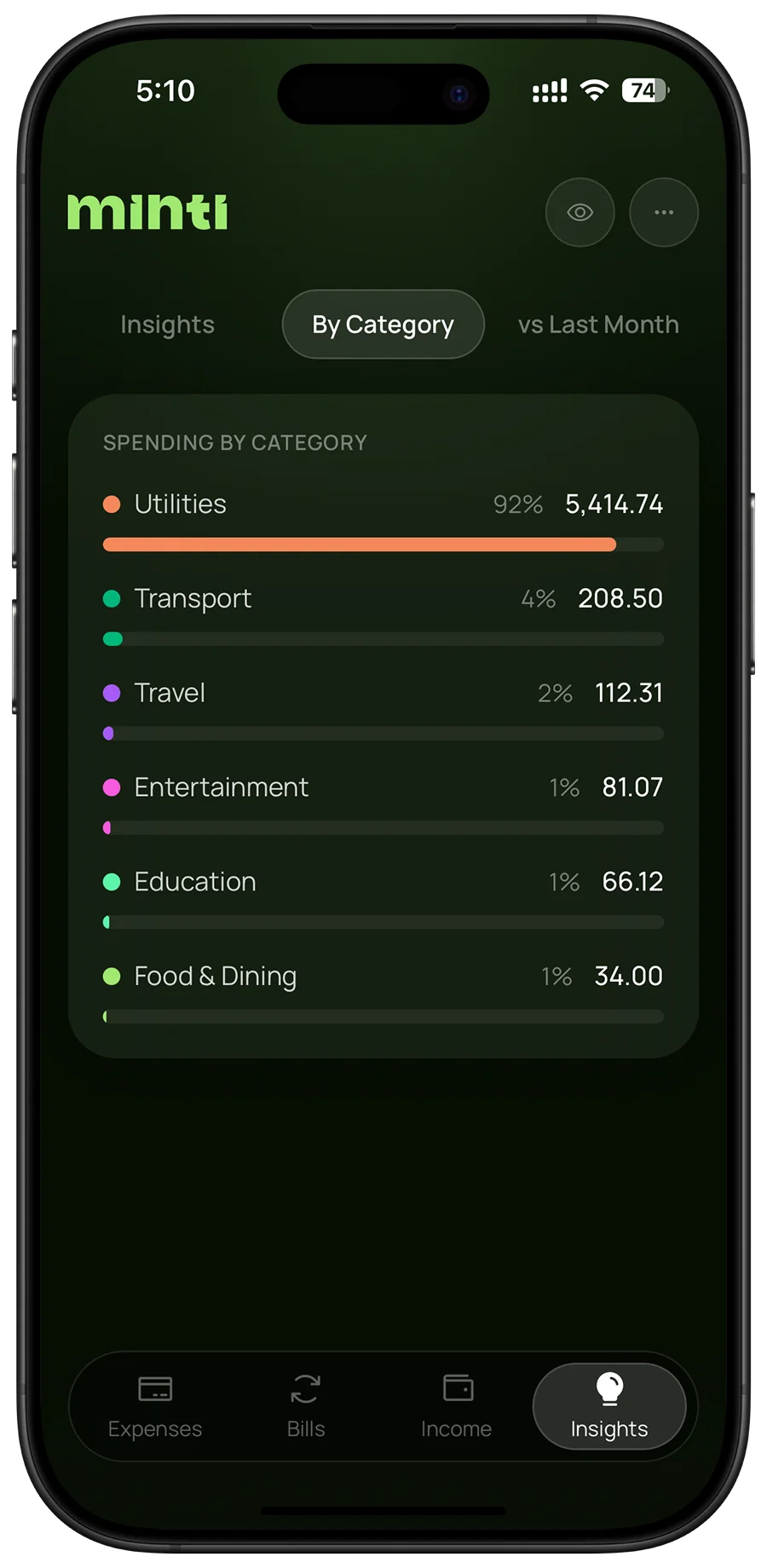
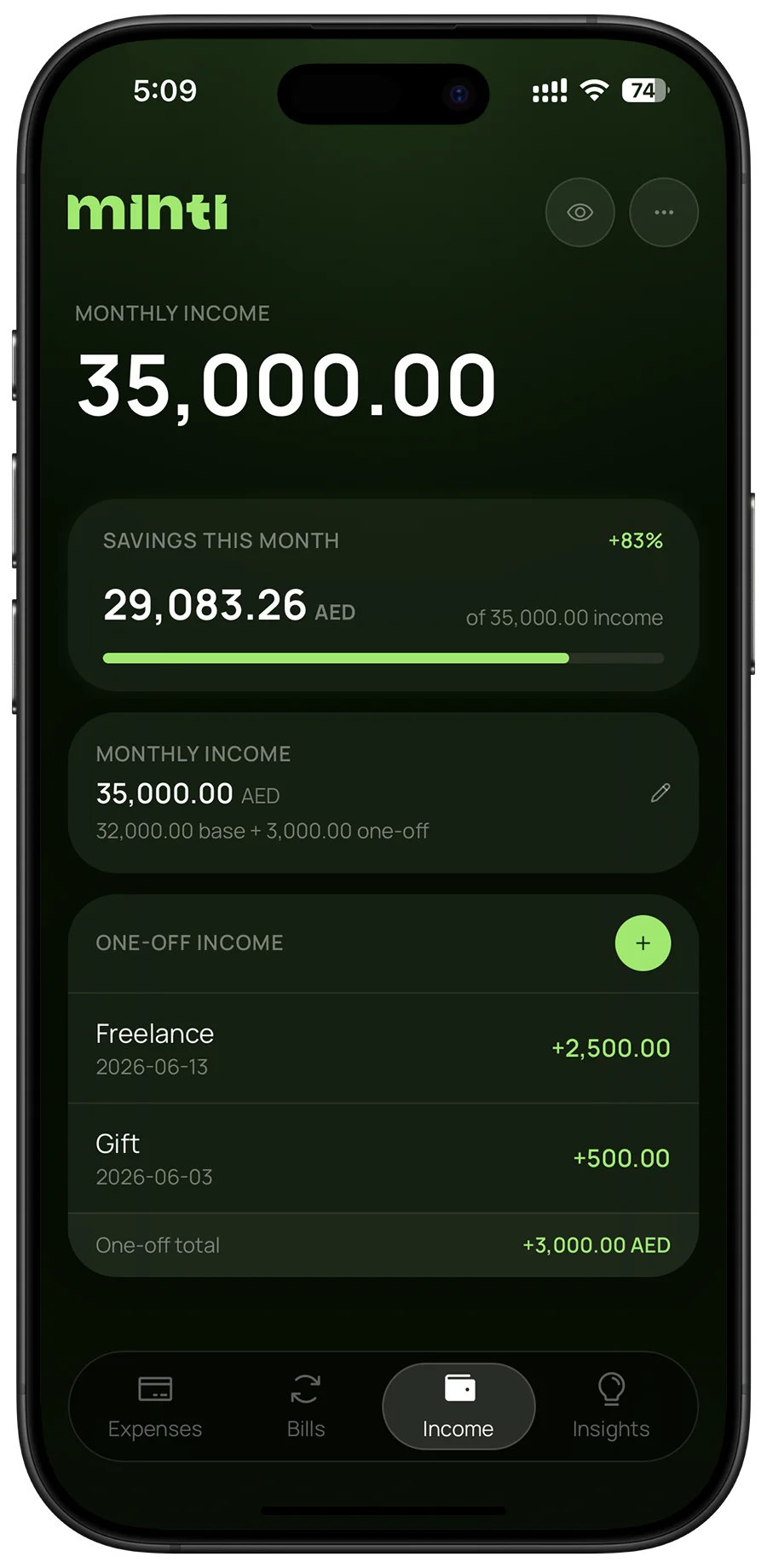
Minti is a spending tracker for people who want to understand where their money goes, not automate it away. Set a monthly limit, log what you spend, keep bills apart from daily spending, and let the app tell you what changed. You have to type in what you spent. That five seconds is the point.
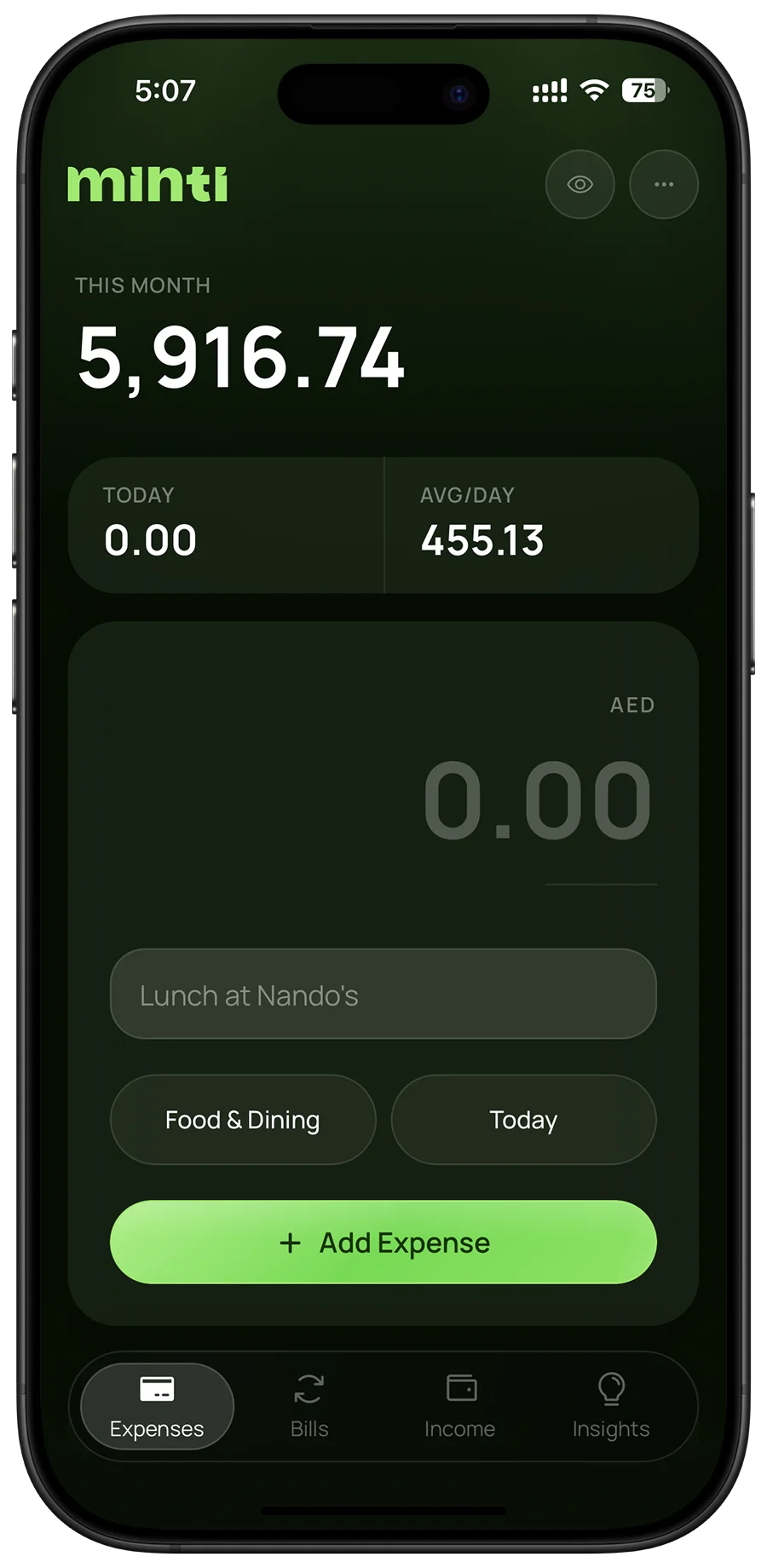
Thinking
It started as a personal habit
Minti began with a habit of tracking spending by hand and noticing that the act of writing it down changed what got spent. Existing apps went one of two ways. Bank-connected apps automate everything and remove the moment of reflection. The rest are built for people who enjoy spreadsheets.
Twelve conversations with people living away from their home country, most of them in Dubai, shaped it most. A new city, a new cost of living, and income that doesn't follow the patterns of home make one question more important than any chart: is this month on track?
“I only notice I've overspent when the month is already over.”
Research participant, living in Dubai
Six decisions, and what each one gave up
Every decision started from the same principle: Minti should make people feel responsible for their spending, not do the thinking for them. Each choice had a real alternative, and each one gave something up.
Logging
Manual entry first
Not chosen: Bank syncChosen: Manual entry
The goal is responsibility, not bookkeeping. Typing an expense takes about five seconds, and that pause is when people decide whether it was worth it and what should come first next time.
Trade-offLogging takes effort, so optional automation is planned for people too busy to add expenses one by one.
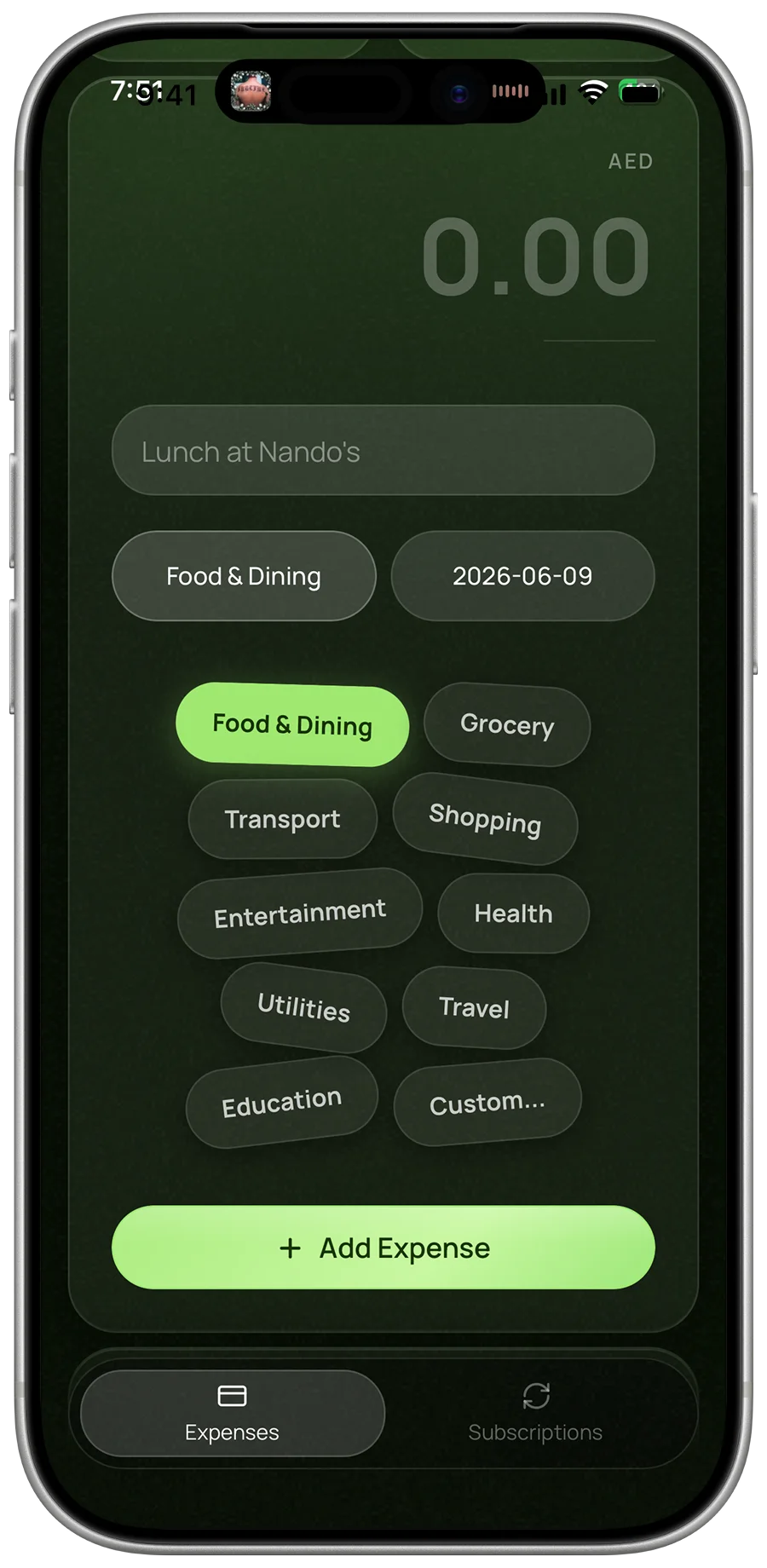
As few steps as possible to log
Not chosen: Full formChosen: One-tap categories
Every extra field is a reason to skip logging, and a skipped entry breaks the habit. Categories are one tap from a set of chips and the date starts as today, so an entry fits in a few seconds.
Trade-offSet categories suit most spending, with a custom option for everything else.
Knowing where you stand
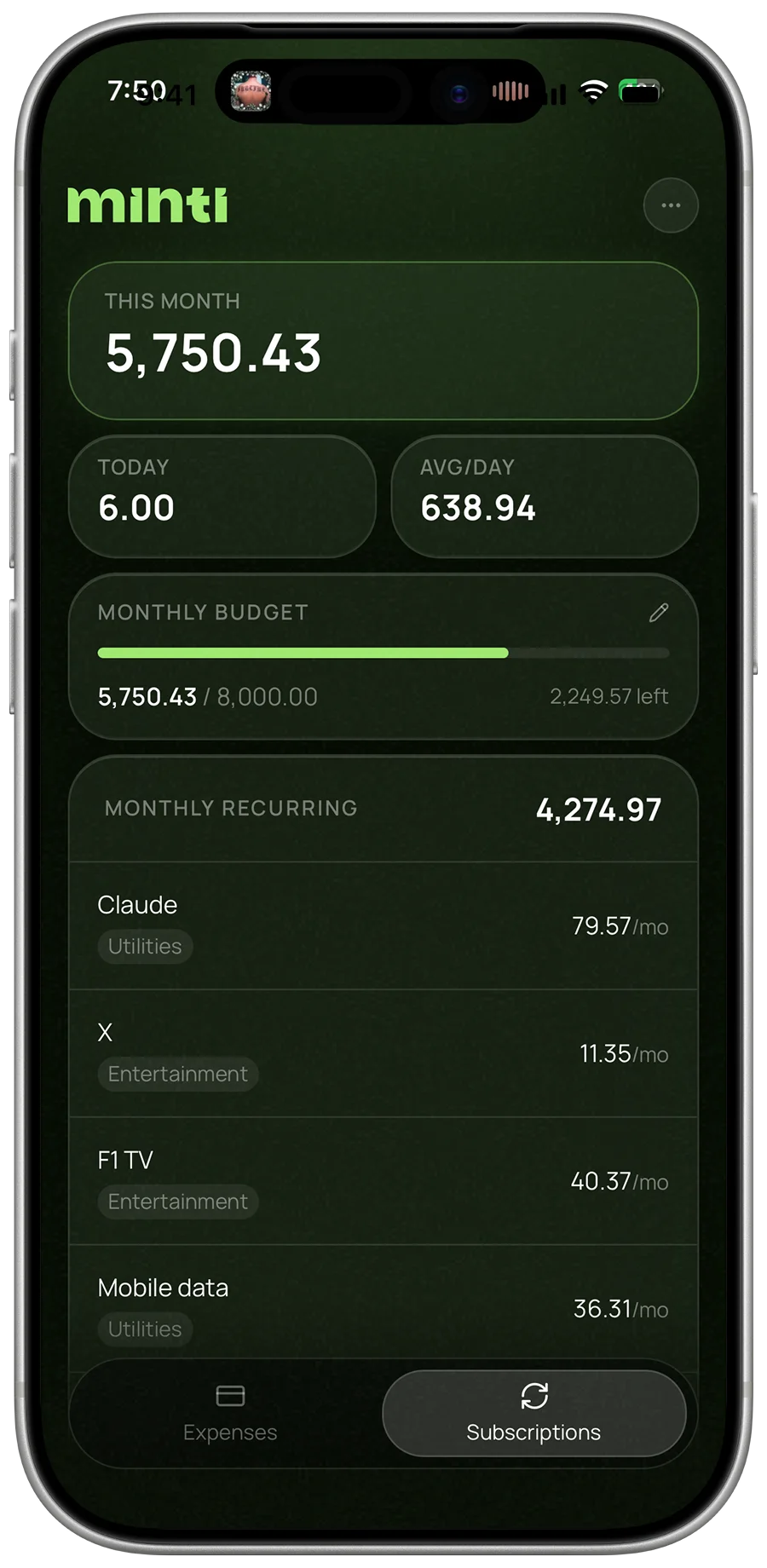
One monthly limit, not a budget per category
Not chosen: Category budgetsChosen: One monthly limit
A budget for every category is one more thing to maintain and one more reason to give up. A single limit and the average daily spend answer the question that matters: is this month on track?
Trade-offLess control per category, though the By Category view still shows where the money goes.
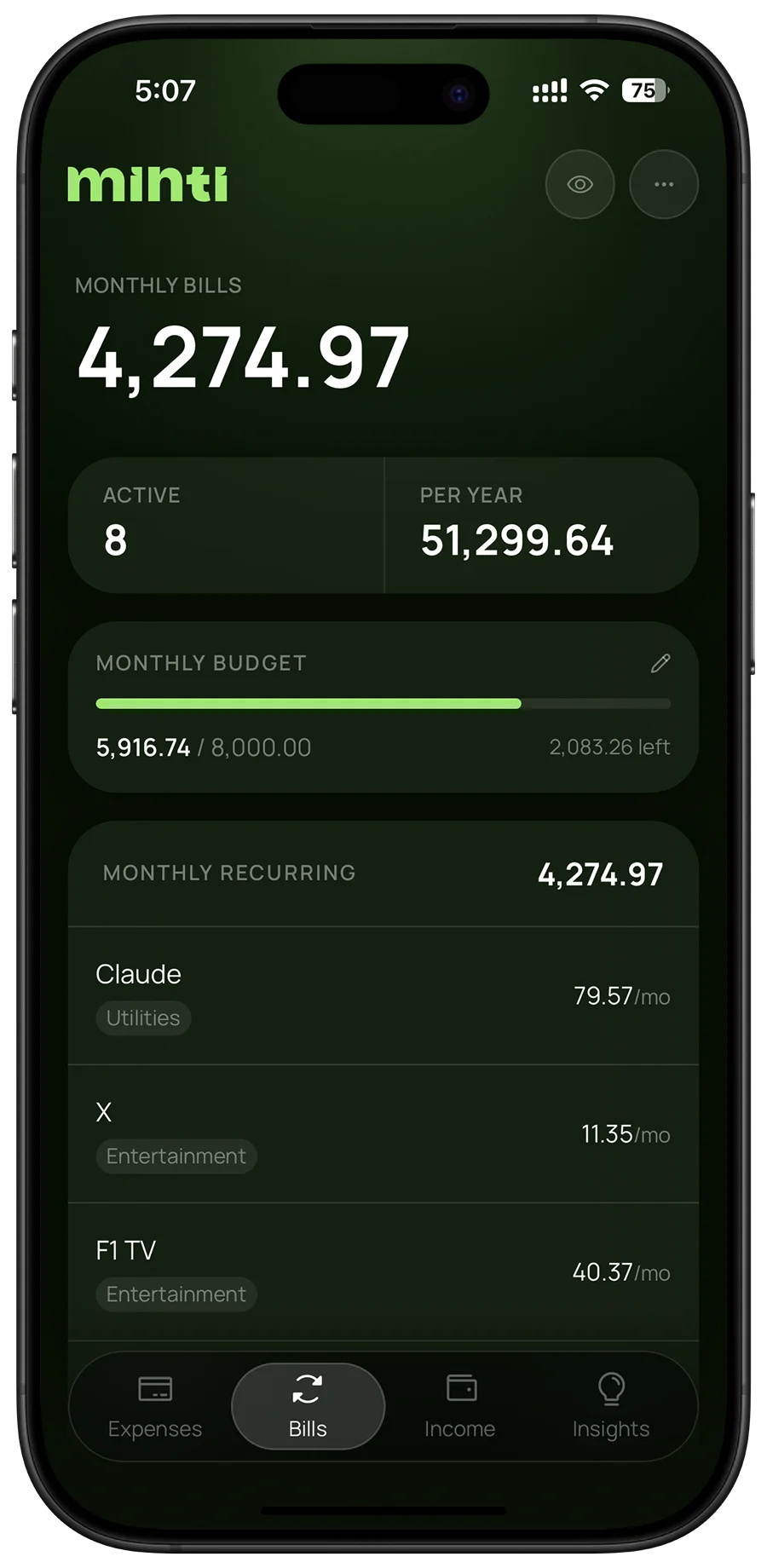
Bills kept apart from daily spending
Not chosen: One listChosen: Bills kept apart
Rent and subscriptions are decided once a month, while coffee and taxis are decided every day. Mixing them hides the daily choices people can actually change, so fixed costs get their own view.
Trade-offTwo places to look instead of one, but each number now means something clear.
Reading it, anywhere
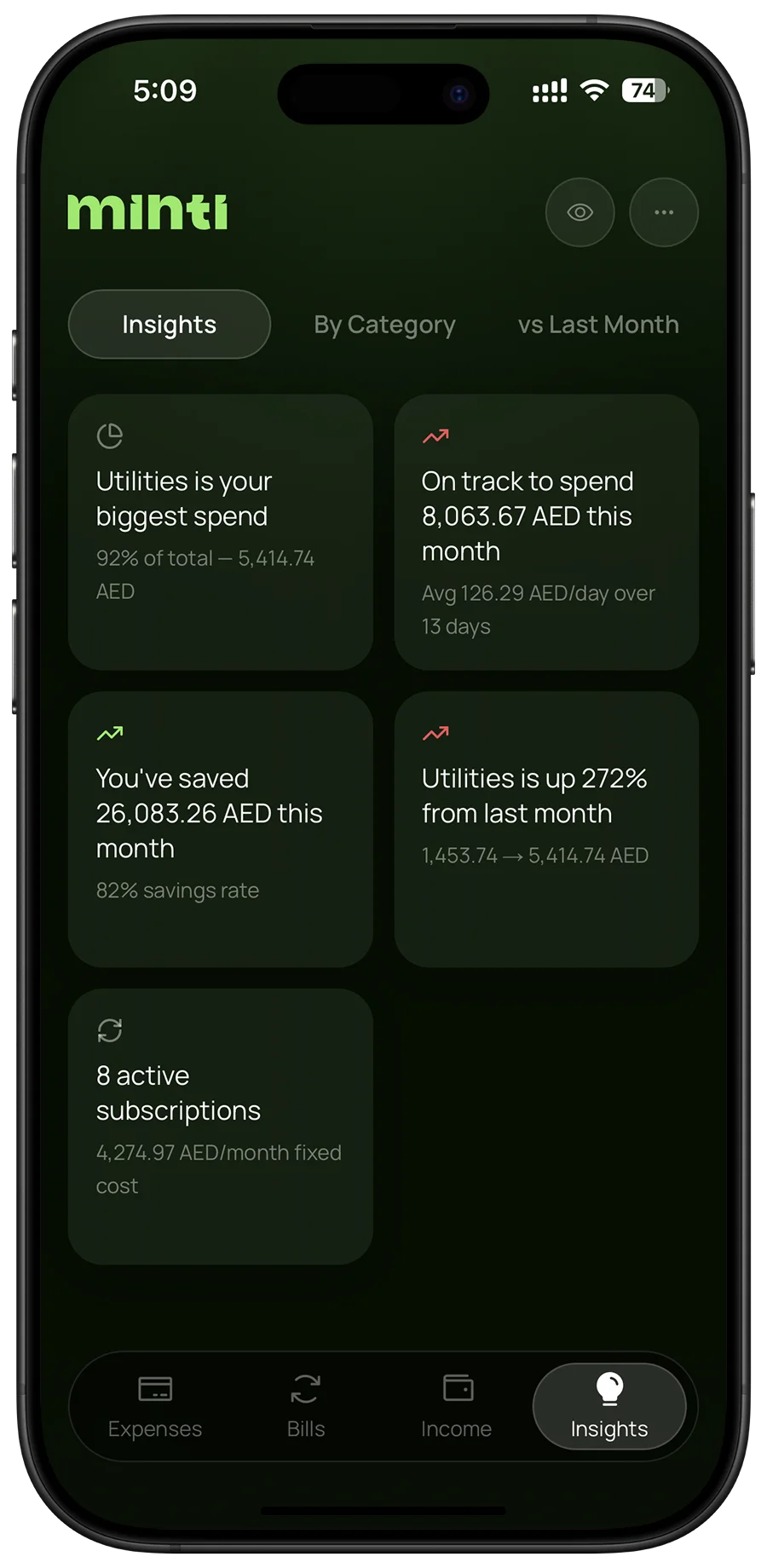
Written insights, not charts
Not chosen: Configurable chartsChosen: Written insights
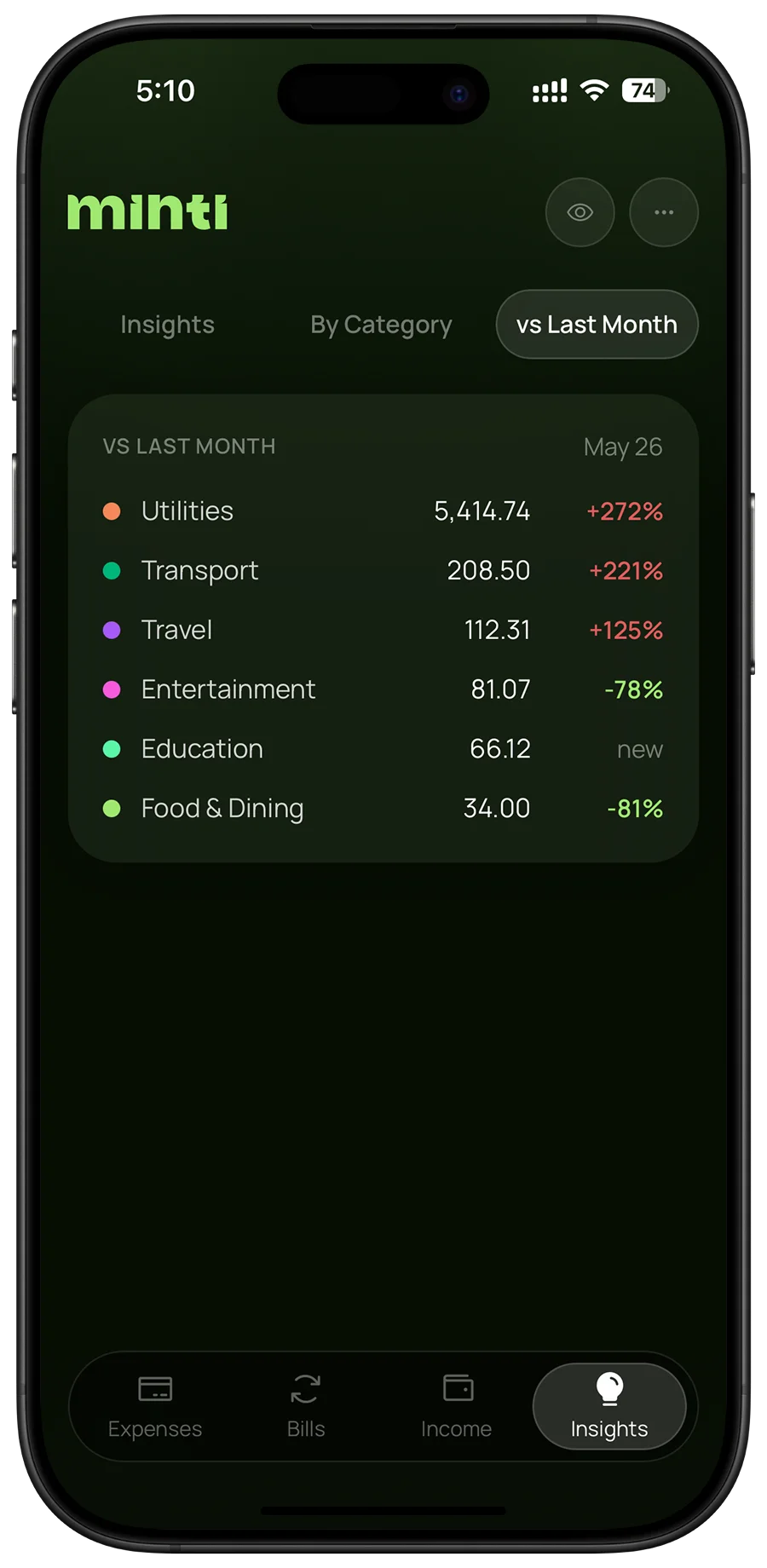
Charts leave people to find the story themselves, and most never look. Minti writes it instead: the biggest category, the projected month total or a category that jumped, each in one plain sentence.
Trade-offLess room to explore the data, in exchange for knowing what matters at a glance.
A web app first, iOS next
Not chosen: Native app firstChosen: PWA first
A progressive web app installs to the home screen like any other app and ships without store reviews. That kept changes fast while early testers used it, and proved the flows before building natively.
Trade-offA web app feels less native, which is why an iOS app is now in progress.
Testing
What real use changed
Real use surfaced problems no spec anticipated: three came from early testers in daily use and two from usability sessions. The first set the direction. A tester in Dubai saw a 205 AED fee appear as 2.49, and the lesson changed the data model: currency looked like a display setting, but it is really part of the data.
When · found by
What went wrong
What it changed
Sep 8
Early tester, Dubai
An account displaying LKR while spending in AED showed a 205 AED registration fee as 2.49, and a 7,387 budget as 89.54.
Currency became part of the data. Every amount records the currency it was entered in, and there is exactly one currency setting.
Sep 8
Early tester
Switching currency changed the label but not the number: 40 AED became 40 USD.
Amounts are converted when the currency changes, never relabelled.
Sep 8
Early tester
Suggestions reset every month, so a metro top-up bought every month ranked below whatever was typed last week.
Suggestions are ranked by how many months they recur in.
Sep 2
Usability session
The biggest number on screen said only 4,522.74. Its month and currency were two taps deep in a menu.
Month and currency moved onto the figure itself.
Aug 25
Usability session
Google sign-in sat under the email form, though most people never need the form.
Sign-in was rebuilt with Google and Apple first.
Design
Designed in specs, not in Figma
There is no Figma file. Every screen was described in markdown, built by Claude Code and judged by eye. The visual language is written down as rules rather than drawn: glass surfaces, consistent type and spacing tokens, and one green accent that only ever marks the primary action or the current selection.
Write the spec
Each screen starts as a markdown spec: what it is for, what it shows, its states and its edge cases.
Set the guidelines
A design guidelines file holds the rules: tokens, glass surfaces, one accent colour, type and spacing.
Build with Claude Code
Claude Code builds each screen from the spec and the guidelines, not from a mockup to be copied.
Review with taste
Every screen is judged on a real phone. Anything that feels off becomes a new rule in the guidelines.
The change spec
specs/changes/0001-one-currency-setting.md
Problem: An account displaying LKR while spending in AED read a 205 AED registration fee as 2.49… with nothing on screen naming the cause.
Decision: Answer the question once, in the migration… rather than storing the answer as config that can later change underneath the data.
The rule it became
specs/product/currency.md
CUR-1 Given a 205 AED expense, when the display currency is LKR, then it shows the LKR conversion, never 205 relabelled.
The test that holds it
tests/currency.test.ts
test("CUR-1: converts, never relabels", () => { const fee = expense({ amount: 205, currency: "AED" }); const shown = display(fee, { currency: "LKR", rates }); expect(shown.currency).toBe("LKR"); expect(shown.amount).not.toBe(205); });
What it does
Status
In testing with a closed group
Minti is live and being tested by a closed group of early testers, most of them living away from home, the people it was shaped around. Their feedback decides what changes each week. Planned next, each one kept secondary to the core idea that you add what you spend:
Optional automation
For people too busy to add expenses one by one. Manual entry stays the default, because feeling responsible is the point.
Reminders to log
Gentle prompts to keep entries up to date, so the habit sticks without anything being automated away.
Notifications that sound human
When saving improves, Minti says so warmly, recognising the habit behind it rather than just the number.
An iOS app
A native iOS app is in progress, built on the flows the web app has already proven with real people.